Checking Tbilisi weather is most useful when you connect the forecast to a real decision instead of treating one temperature as the answer. A morning commute, a walk after work, an outdoor appointment, and a trip beyond the city all need different time windows and different checks.
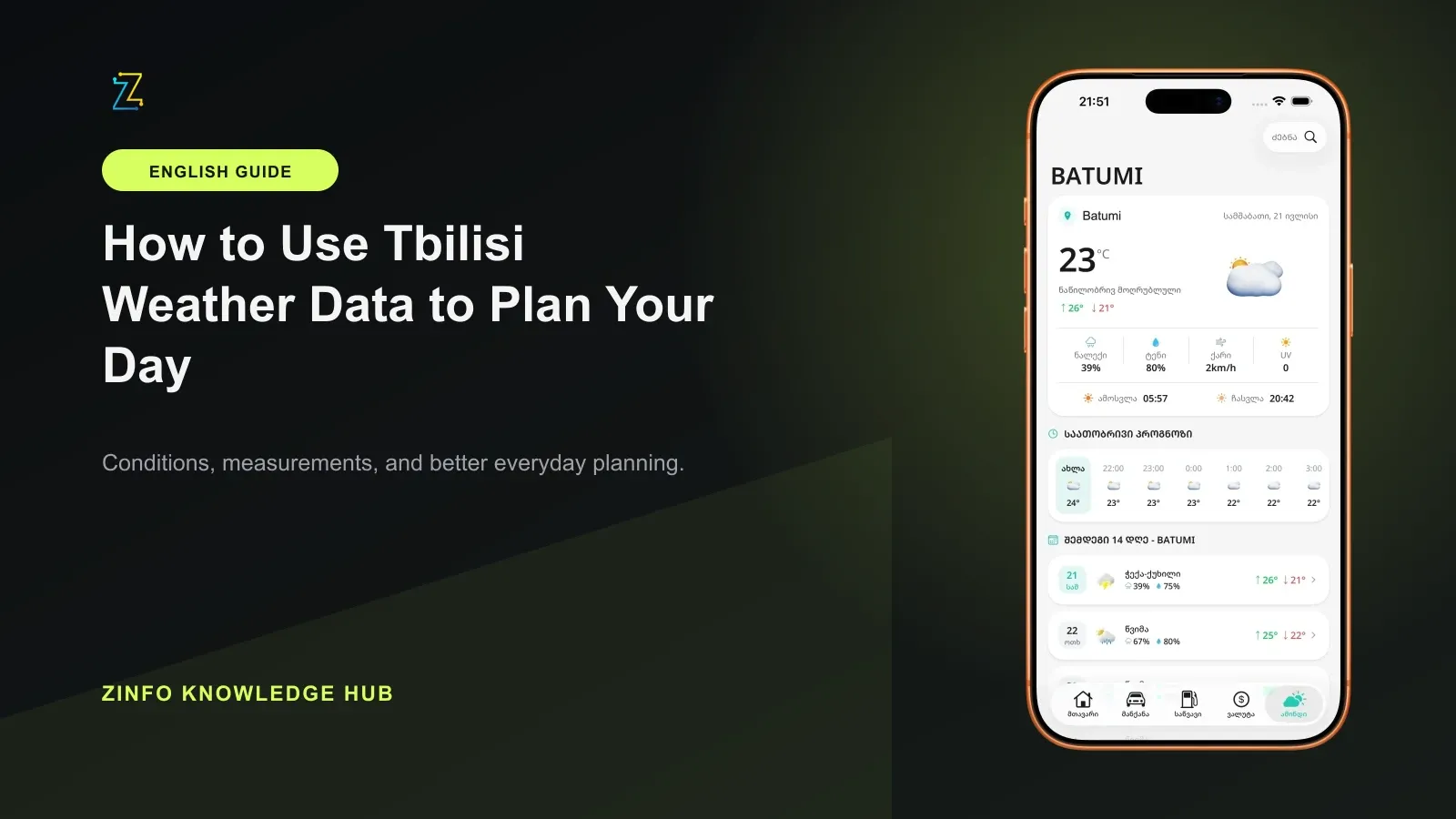
The weather and internet area in ZINFO combines current conditions, hourly and 14-day forecasts, and city search. This guide turns those views into a repeatable planning method: confirm the place and update time, choose the forecast horizon that matches the decision, and leave room for uncertainty.
The product description and official references were reviewed on September 22, 2026. The August 15 sample below remains historical evidence of the fields recorded at that time, not a current forecast or a test of forecast accuracy.
1. Confirm the city and update time first
The first check is location, not temperature. If Tbilisi is not the selected city, the rest of the screen may not apply to your plan. After the city name, check when the weather data was updated. A screen that has stayed open for several hours should not be treated as a fresh forecast.
The current weather view describes conditions around the present moment. It is useful when you are about to leave, but it cannot answer what the weather may be two or six hours later.
Start with three questions: where will I be, at what time, and for how long? Those answers determine whether you need the current view, an hourly forecast, a daily range, or a separate city search.
2. Use current, hourly, and daily views for different decisions
Current conditions describe now. An hourly forecast is better for a short decision window, such as a commute, an evening walk, or the start and end of an outdoor event. The daily and 14-day views help compare dates, but a date farther away should be treated as a broad planning signal rather than a precise promise.
In the weather forecast section, find the hour when your activity begins. Then inspect nearby hours as well. Looking at only one hour can hide a fast temperature change, a rising precipitation chance, or stronger wind shortly before you arrive or after you plan to leave.
The daily high and low describe a range across the day. Neither value means that temperature will remain constant. For clothing, transport, or route choices, the temperature during the hours you will actually be outside is usually more useful than the day's headline maximum.
3. Match precipitation chance to the correct period
Apple's WeatherKit documentation defines a daily precipitation chance as the probability of precipitation during the day. It does not by itself tell you how long precipitation will last, how much will fall, or the exact minute rain will begin in your neighborhood.
Keep product scope separate from the documentation example. ZINFO's published feature description lists a 14-day view, while Apple's WeatherKit overview describes 10-day hourly forecasts and says minute-by-minute precipitation and severe alerts are available only in selected regions. Those statements do not establish that every view or alert is available for every location. Check the dates and fields actually shown for your selected city.
Read the percentage together with its time period. A daily probability summarizes the day, while an hourly probability is more relevant to a narrow appointment or travel window. If your activity lasts only one or two hours, compare the selected hour with the hours immediately before and after it.
A high probability does not automatically mean uninterrupted rain all day. A low probability does not guarantee that you will stay dry everywhere in the city. The practical choice depends on timing, route, time spent outdoors, and how easily you can change the plan.
4. What the sanitized August 15 sample proves
At 09:03 Asia/Tbilisi time on August 15, 2026, an automated collector took a sanitized Tbilisi weather sample from ZINFO's production system. The receipt verified the source timestamp and recorded fields for current temperature, the daily high and low, precipitation chance, and the current condition code.
The receipt stored no authentication value, user location, personal information, or raw server response. This article intentionally does not repeat the sample's volatile numbers because a point-in-time value can become stale quickly and should not be mistaken for a current forecast later in the day.
The useful first-party insight is structural: current conditions, the daily range, and precipitation probability answer different questions. A practical plan reads them together and requests a fresh update before the decision matters.
One saved response cannot measure how closely a forecast matched later observations, establish uninterrupted availability, or prove coverage for another city. The September review did not rerun this historical sample or turn it into a new measurement.
5. Turn the forecast into a small decision table
Before confirming a plan, write down four items:
- Place: Tbilisi or another city
- Time: when you will actually be outdoors
- Conditions: temperature, precipitation, and wind for the relevant hours
- Flexibility: whether you can change the time, route, transport, or venue
For a morning commute, current conditions and the next few hours may be enough. For an evening event, a forecast checked early in the morning is not the final check, so reopen it later. For travel outside Tbilisi, the capital is only the starting point and the destination needs its own forecast.
Use city search for every place that can materially affect the trip. Tbilisi conditions do not describe a mountain destination, Kakheti, or the Black Sea coast.
6. Check at planning time and again before departure
A longer-range forecast helps choose a day. The hourly forecast helps choose the time. Current conditions are the final check before leaving. Opening the weather screen more than once is not unnecessary repetition because each check supports a different stage of the decision.
If the plan depends heavily on weather, keep a fallback. That may be a later hour, an indoor venue, a shorter route, or a transport change. The forecast is not meant to remove all uncertainty. Its value is helping you make a better-prepared choice while a change is still possible.
Pay attention to the update time whenever the screen has been open in the background. Refreshing matters most when conditions are changing, the trip is long, or the cost of being wrong is higher than the cost of checking again.
7. Treat official warnings as a separate safety check
The National Environmental Agency of Georgia is responsible for producing short, medium, and long-range forecasts and issuing warnings about expected extreme natural events. For strong wind, thunderstorms, flood risk, or another safety-sensitive decision, do not rely only on an everyday app forecast.
Check the Agency's official meteorological page and the relevant warning. If an official warning and a general forecast emphasize different risks, give the official warning higher priority for the safety-sensitive part of the plan.
Read the warning's applicable place, period and instructions, not just its heading. During the September 22 review, the linked meteorological site displayed a test-mode notice. An empty section, a loading failure or an old saved page is not evidence that no warning exists. If you cannot confirm the relevant notice, use the Agency's published information or contact channel and leave the warning status unconfirmed until you can check it.
This separation is useful even when the everyday forecast is current. An app helps with timing and routine preparation, while an official warning carries the authority and context needed for hazardous conditions.
8. Use the same five-step ZINFO workflow each time
- Select the correct city.
- Check when the data was updated.
- Open the hour of your plan and the neighboring hours.
- Read temperature, precipitation chance, and wind together.
- Refresh before departure and check an official warning when safety may be affected.
This workflow turns a forecast from a passive answer into a decision tool. You can browse all ZINFO features or return to the knowledge hub for practical guides covering travel, vehicles, finance, utilities, and other everyday tasks in Georgia.
Final checklist
- The selected city matches where I will be
- The data update time is recent
- I checked the hour of my plan and nearby hours
- I matched the precipitation percentage to the correct period
- I did not confuse current conditions with the daily range
- I checked an official warning for any safety-sensitive plan
With this habit, the Tbilisi weather screen answers a more useful question than simply whether it is warm or rainy: what should change in the plan now, what should be checked again later, and when is an official warning required?
Sources
- Weather and internet in ZINFO · ZINFO · 2026-09-22
- Get started with WeatherKit · Apple Developer · 2026-09-22
- DayWeather precipitation chance · Apple Developer · 2026-09-22
- Functions of the National Environmental Agency · National Environmental Agency of Georgia · 2026-09-22
- Tbilisi weather and warnings · National Environmental Agency of Georgia · 2026-09-22